


Learning about large language models is relatively straightforward. Building reliable software around them is considerably more challenging.
A working AI application requires more than a model and a prompt. Developers may need to manage API calls, connect external tools, retrieve information, handle errors, and create an interface for users.
The Awesome LLM Apps repository offers a practical way to study these building blocks.
Instead of focusing exclusively on explanations, the project provides source code for a growing collection of AI applications that developers can inspect, run, and customize.
What Is Awesome LLM Apps?
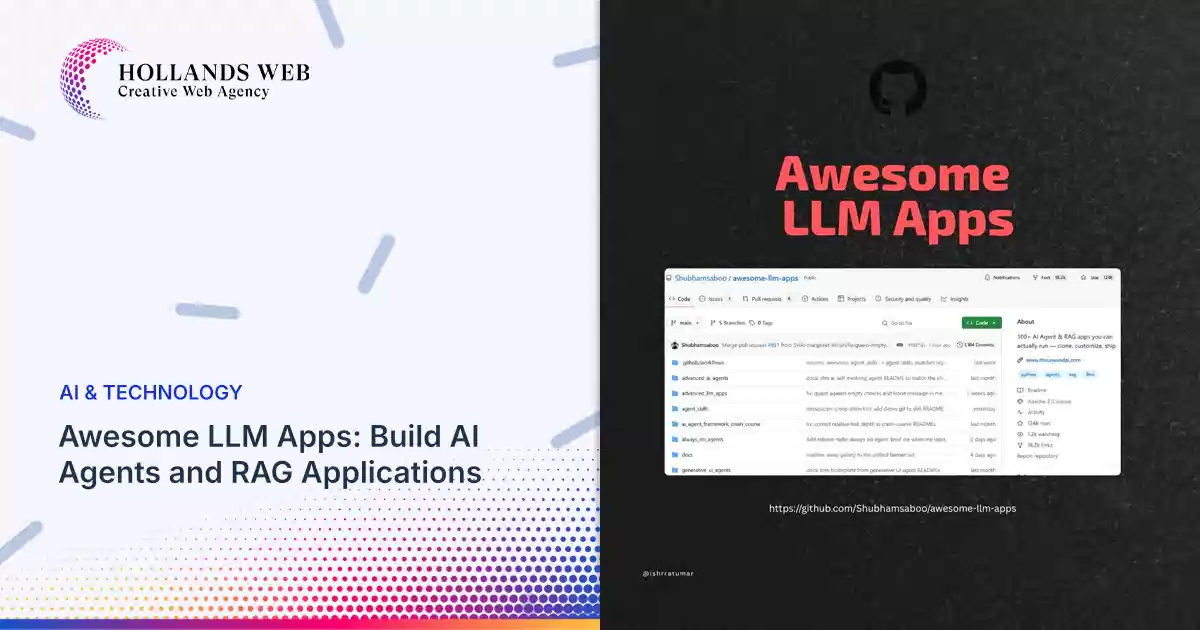
Awesome LLM Apps is an open-source GitHub repository containing more than 100 AI agents, agent skills, and Retrieval-Augmented Generation applications.
The projects demonstrate how developers can build software using models such as GPT, Claude, Gemini, DeepSeek, Llama, and Qwen.
Unlike a conventional directory of AI tools, many entries include working source files and setup instructions.
This makes the repository valuable for developers who prefer learning by examining real implementations.
It also provides a useful starting point for building prototypes without designing every technical component independently.
What Does the Repository Include?
Starter AI Agents
These projects demonstrate focused AI applications.
Examples include tools for analyzing data, planning travel itineraries, conducting research, and performing specialized tasks.
Starter projects are often suitable for developers who are beginning to explore agent-based systems.
RAG Applications
Retrieval-Augmented Generation, commonly called RAG, combines information retrieval with language model generation.
Instead of relying only on the model’s existing knowledge, a RAG application retrieves relevant information from a selected source and includes it in the model’s context.
This is useful for document assistants, knowledge-base search, and internal business information systems.
Multi-Agent Applications
Some projects demonstrate workflows in which several AI agents contribute to the same task.
For example, one agent might collect information while another organizes or evaluates the results.
MCP-Based Agents
The repository also includes examples that connect AI agents to external tools using the Model Context Protocol.
Agent Skills and Standalone Applications
Additional examples show how to extend coding agents or build complete user-facing AI applications.
Practical Example: Creating an AI Travel Planning Assistant
Imagine building a tourism platform that helps visitors plan multi-day trips.
A customer might enter:
“Create a five-day Istanbul itinerary for a family interested in historical attractions and local food.”
An AI travel planning application could interpret the request and prepare a structured itinerary.
Awesome LLM Apps includes a starter travel agent that can be used to explore this concept.
A developer could examine the implementation, understand how the model receives instructions, and experiment with different outputs.
The next step could involve connecting verified attraction information, transport options, and destination content.
For a commercial tourism platform, however, AI-generated recommendations should not be treated as confirmed bookings, current prices, or real-time availability.
These details require reliable external data sources.
How to Get Started With Awesome LLM Apps
Step 1: Clone the Repository
Install Git and Python, then download the project:
git clone https://github.com/Shubhamsaboo/awesome-llm-apps.gitStep 2: Choose a Starter Application
For the travel agent example:
cd awesome-llm-apps/starter_ai_agents/ai_travel_agentStep 3: Create a Python Environment
Using an isolated virtual environment helps prevent dependency conflicts between projects.
Install the packages listed by the example:
pip install -r requirements.txtStep 4: Configure the Model
Review the selected project’s documentation.
Some examples require an API key, while others support local or alternative model configurations.
Keep credentials in environment variables or another secure configuration mechanism.
Step 5: Run the Application
The project’s quick-start documentation provides:
streamlit run travel_agent.pyThis starts the example’s Streamlit application.
Step 6: Examine the Source Code
Identify where the application handles user input, creates model requests, processes responses, and manages external dependencies.
Understanding these components is more valuable than simply running the example.
Step 7: Customize the Application
Add a small feature, change the interface, or connect a controlled dataset.
After each modification, test whether the application behaves as expected.
Who Should Use Awesome LLM Apps?
The repository is useful for Python developers, AI engineers, students, startups, and software teams exploring agent-based applications.
It is also relevant to developers who understand conventional APIs but need practical examples of integrating language models into real software.
Can These Projects Be Used Commercially?
The main repository is published under the Apache 2.0 license.
However, individual projects may depend on external libraries, datasets, model licenses, or commercial AI services with separate terms.
Developers should review these dependencies before reusing the code in customer-facing products.
Starter applications also require additional security, monitoring, testing, and deployment work before production use.
Final Thoughts
Awesome LLM Apps provides a useful bridge between AI concepts and working software.
Its value comes from exposing how agents, tools, language models, and data retrieval systems fit together.
For developers, the most productive approach is to choose one example, understand its architecture, and adapt it to a narrowly defined problem.
Official GitHub Repository: https://github.com/Shubhamsaboo/awesome-llm-apps